

As your facility requirements grow, managing inspections and maintenance becomes challenging, from handling repairs to keeping track of compliance. This is usually when you might turn to digital tools for facility management. Lumiform and Planon are two possible solutions for this, but they’re built with different priorities in mind.
Lumiform is a mobile-first platform that helps teams conduct inspections and manage corrective actions efficiently, with fast setup even for enterprises. Planon offers multiple modules with separate licenses as an Integrated Workplace Management System (IWMS), including lease administration and capital planning.
Choosing between the two can be tricky, since you also have to consider your organization’s long-term needs. The guide below takes you through how each platform approaches facility management and building inspections, comparing them across key areas like pricing, ease of use, and action management.
What is Lumiform?
Lumiform is an AI-powered frontline operations platform that enables organizations to conduct inspections, audits, and recurring checks across facilities. It covers the whole inspection lifecycle, including tracking corrective actions and generating reports while monitoring performance.
Since it’s built mobile-first, frontline workers can complete checks from phones or tablets, even when offline. Managers create digital checklists with AI assistance, then gain visibility into operations through real-time dashboards. Aside from these, Lumiform comes with tools for managing assets and building plans for multiple locations, while remaining fast to deploy and adopt.
Its standout features include:
- AI form builder: Create forms from AI prompts or existing PDFs, or use the no-code editor with 12,000+ pre-made templates.
- Multi-site management: Organize inspections, assets, buildings, and teams across complex organizational structures.
- Building plans and location mapping: Connect inspections and actions to floor plans and specific locations within facilities.
- Training module: Create and deliver training courses with videos and quizzes, and trigger retraining from inspection findings.
What is Planon?
Planon is an Integrated Workplace Management System (IWMS) that brings together facility management, maintenance, real estate, and workplace operations. It focuses on managing the complete lifecycle of buildings, with multiple in-depth modules that you can choose from.
It mainly serves enterprises, given the significant implementation effort required, and many of its clients are organizations with large property portfolios and complex operations, with needs such as lease administration and energy management. The platform integrates with IoT sensors and building systems for in-depth visibility into facility performance, while also encouraging sustainability for companies.
Some of its top capabilities include:
- Space management: Track occupancy, manage floor plans, and optimize workspace utilization across buildings.
- Lease administration: Manage contracts, lease obligations, costs, and key dates across your real estate portfolios.
- Maintenance management: Schedule preventive maintenance and manage work orders, tracking asset performance over time.
- IoT and smart building integrations: Connect sensors to monitor metrics like energy consumption, and indoor air quality.
Lumiform vs Planon summary table
Here is a summary of how both platforms compare for facility management, especially for building inspections:
 |  | |
|---|---|---|
| Primary focus | Inspections, audits, and operational checklists | Integrated Workplace Management (IWMS) |
| Typical use cases | Safety inspections, compliance audits, quality checks, building walkthroughs | Space management, lease admin, maintenance, capital planning, sustainability |
| Pricing | Starts at €115/month for 5 users, with volume discounts; Enterprise add-ons available | Enterprise contracts; depends on modules and deployment scope |
| Ease of use | Fast onboarding with minimal training requirements | Implementation can reach several months; steeper learning curve |
| Digital forms & logic | AI form builder with conditional logic; 12,000+ templates | Forms within IWMS workflows; more configuration-intensive |
| Mobile & offline | Built for frontline teams, with offline mode and automatic sync | Experience varies by module; offline capability depends on configuration |
| AI features | Instant form generation, image recognition, writing assistant, analytics chat | Maintenance insights, occupancy optimization, space utilization analysis |
| Action management | Automatic corrective actions with approvals and escalations; third-party collaboration | Work order management integrated into maintenance and asset management |
| Training module | Built-in training module linked to inspections | No native training; requires third-party LMS |
| Asset management | Flexible mapping for facilities, rooms, and equipment with inspection histories | Equipment lifecycle tracking with work order tracking and capital planning |
| Reporting & analytics | Real-time operational dashboards with automatic reports for audits | Portfolio-wide reporting for facilities, occupancy, sustainability, and assets |
| Integrations | API, Power BI, Tableau, Zapier | SAP, Oracle, BIM systems, IoT sensors |
Lumiform vs Planon: In-depth breakdown
Let’s dive deeper into the specifics of each platform, including how their features can affect your day-to-day workflow:
1. Pricing
One of the biggest practical differences between Lumiform and Planon is pricing.
Lumiform follows per-user pricing:
- The Professional plan starts at €115 per month for 5 users, with volume discounts as teams grow.
- You can add enterprise capabilities such as approvals, training, and API access individually or bundle all of these into an Enterprise plan.
This allows you to customize the platform around your requirements, while the base plan already covers the key capabilities you need to get started with facility inspections from day one. On top of this, most organizations can get started quickly without heavy implementation fees, so upfront costs remain low.
On the other hand, since Planon is a broad IWMS platform, we found that implementation is much more involved. No exact pricing is listed on its website, but you can get a quote based on factors like portfolio size, the modules you want, and integration requirements.
Because of its modular structure, you have the flexibility to license only the components you need. However, based on user reviews, the overall investment often includes:
- Software licensing
- Implementation services
- Ongoing support
- Optional hardware such as sensors
As a result, annual costs can reach six figures for some organizations, making Planon a significantly higher investment compared to more specialized platforms.
Given these, we think Lumiform is the more affordable option if you’re looking to manage facility inspections, audits, and compliance processes. It provides the core functionality needed to standardize checks and improve visibility without the complexity and cost associated with a full IWMS.
Planon’s higher investment can be justified if you’re seeking an integrated, end-to-end platform, from CAD integrations to financial management, but for conducting operational checks day to day, Lumiform offers a lower total cost of ownership and a faster time to value.
2. Ease of use
Whichever facility management tool you choose, it will likely be used by a wide range of people, from facility managers and compliance officers to technicians, contractors, and frontline staff. The easier the tool is to set up and use, the faster you can achieve adoption across your organization.
Since Lumiform is a frontline operations platform, it’s designed to help teams conduct checks and tasks on the go. It follows a straightforward workflow that you can adapt to different processes:
- Create forms
- Complete inspections on mobile
- Trigger corrective actions
- Track results
AI tools make each step faster, and even advanced features like workflow automation can be configured without technical expertise. In fact, reviewers describe the app’s interface as “self-explanatory.” Many organizations can set up their first workflows and begin conducting inspections within days rather than months, with minimal onboarding. We believe that this is especially valuable for businesses with contractors or high staff turnover.
For example, BestFit, one of Germany’s largest fitness club networks, deployed Lumiform across nearly 130 studios. Because of its fast implementation, they were able to use it for club inspections, location assessments, cleaning checks, and more, resulting in over 10,000 fewer work hours per year.


In comparison, since Planon features an ecosystem of modules, setting it up comes with greater complexity. To get started, it typically involves extensive planning and process alignment, and the user experience can feel less intuitive for frontline employees or staff who use it occasionally, leading to longer onboarding.
Administrators must also manage multiple modules, workflows, user roles, and integrations. While you can expect dedicated implementation services and partner support, the process can extend to several months.
From our analysis, Lumiform is the better fit for teams prioritizing rapid deployment and day-to-day usability. While Planon delivers an extensive set of facility management capabilities, this often comes with a steeper learning curve and heavier implementation. If your goal is to get teams up and running quickly while minimizing training, Lumiform has the advantage and our clear recommendation.
You’ll find everything you need in Lumiform. So you really don’t need any training in this sense. Lumiform is genuinely easier to implement at the front end than any other tool… The final introduction of Lumiform to the studio employees went extremely quickly.
3. Digital forms
Many facility management processes begin with a checklist or inspection, like preventive maintenance, safety walks, and equipment checks, all of which rely on structured forms.
In line with this, Planon supports digital forms as part of its broader platform. Depending on the modules you use, forms can be connected to maintenance workflows, asset records, service requests, and work orders. This can be powerful if you want inspection data tightly integrated with wider operational workflows and asset records.
However, since forms are not a primary feature of Planon, there are fewer options for creating and customizing forms. This difference becomes more obvious when you have to roll out forms regularly across dozens of processes, requiring additional planning and setup time compared to more flexible platforms.
In comparison, Lumiform’s form builder is a core feature of the platform, and is built for compliance checks, audits, and corrective actions:
Managers can create digital checklists with logic, photo capture, and e-signature, with extensive customization options that are approachable even for non-technical users. The platform also includes a library of more than 12,000 templates, covering use cases like facility inspections, maintenance checks, safety walkthroughs, and compliance audits.
One of Lumiform’s standout features for facility management is how forms can automatically adapt to the context. This means that you can use the same maintenance form across all elevators, but it adapts every time, showing only the relevant questions depending on the elevator type or manufacturer. As a result, you don’t have to tediously create and maintain separate forms, which saves time while guiding technicians to follow the correct procedures.
Both Planon and Lumiform offer AI-assisted form builders, but overall, we believe that Lumiform is more flexible and user-friendly for building and scaling forms for multiple facilities. Planon’s forms can cater to diverse areas across several modules, but Lumiform’s stronger focus on inspections makes it easier to adapt forms and deploy changes quickly.

4. Action management
As facility operations grow, keeping track of open tasks becomes increasingly difficult. What starts as a simple maintenance issue can quickly become a complex network of tasks, approvals, contractors, and deadlines. Both Planon and Lumiform provide strong action management capabilities to handle this, with workflow automation for cutting down on manual work.
Planon offers extensive tools for coordinating activities across facilities, depending on the modules that you choose. Organizations can:
- Manage work orders and preventive maintenance
- Coordinate room bookings and workplace services
- Oversee contractor performance
- Track sustainability initiatives or capital projects
Their system also includes approval workflows, audit trails, and SLA monitoring for thorough governance.

In Lumiform, action tracking and follow-up are also central to the platform, allowing facility teams to move issues from identification to resolution efficiently. If a technician identifies a faulty emergency exit light during a building inspection, Lumiform can automatically create an action and route to the appropriate people, including external contractors who don’t need a full account. This comes with approvals and escalation options that you can set up fully tailored to your own requirements, as well as flexible asset tracking for staying on top of maintenance needs.
Since location tracking is another important consideration for facilities, you’ll find building plan features in both Lumiform and Planon. Lumiform allows you to upload building plans: when an inspector identifies a damaged fire door or leaking pipe, the issue can be pinned directly to its exact location in the plan. Maintenance teams and contractors can then immediately spot the issue, even as the overall experience remains intuitive to understand for frontline users.

In Planon, you can also use advanced CAD and BIM integrations to maintain digital representations of buildings and assets.
To sum it up:
- As a full-fledged IWMS, Planon comes with comprehensive action management capabilities across several domains, from governance processes to IoT monitoring. This makes it highly reliable for managing a large number of interconnected workflows.
- On the other hand, Lumiform helps teams manage inspections and operational checks efficiently, incorporating automation without the admin overhead you’d find with a full IWMS. If you’re aiming for ease of use and fast follow-up in the field, Lumiform is likely the better fit.
5. Mobile app
Building inspections and maintenance checks all have to be done on the go, so mobile functionality is essential for any modern facility management tool. You can download mobile apps via iOS and Android for both Lumiform and Planon that enable you to complete tasks in the field and document findings. However, the two platforms provide very different mobile experiences.
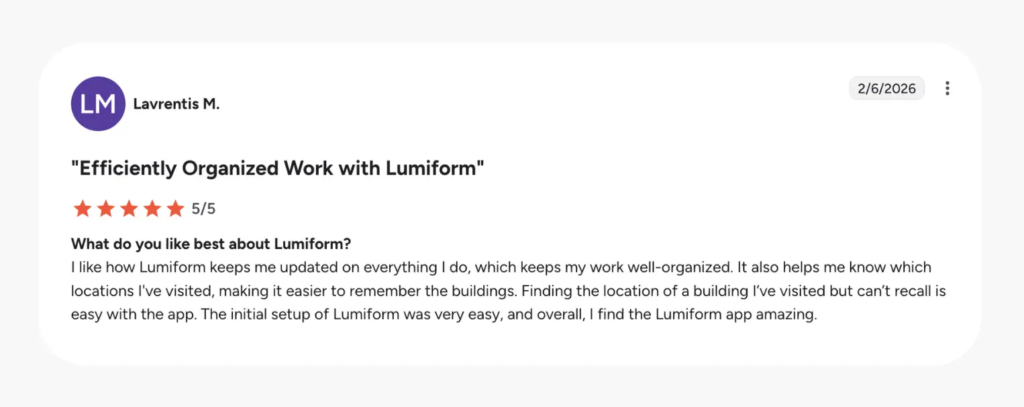
Something to highlight is that Lumiform is a mobile-first platform, so its mobile app is designed around the needs of frontline workers who spend most of their time away from desks.
The app shows checks and actions that need to be done right away, with training material as needed. Teams are then guided through workflows step by step, while AI features like photo validation and writing assistance speed up the process. The app works offline, so teams can continue even in low-signal areas, like basements or utility rooms.
Because of these, Lumiform’s mobile app is highly intuitive, with a clear interface that requires minimal training. Results are then sent back to managers for real-time oversight.
With Planon, the mobile experience depends heavily on which modules you use. For example, a technician using the app for field services will have a very different experience from an employee using workplace services for room bookings and service requests.
Offline capabilities also vary by module. While this flexibility allows Planon to support a broad range of facility management processes, using the mobile app can also become more complex, with a less consistent experience for teams and more training requirements.
To sum it up, we think that:
- Lumiform offers a more unified mobile experience, with inspections, actions, and follow-up activities managed through a single frontline workflow.
- Planon follows the approach of its desktop platform, with mobile capabilities based on your module. For organizations with large numbers of technicians, inspectors, and contractors, this can make onboarding and standardizing more challenging.
6. Reporting and analytics
One failed fire extinguisher or HVAC inspection rarely causes concern. However, when the same issue appears repeatedly, it becomes a pattern that requires attention. With strong reporting and analytics, you can spot these faster and prioritize corrective actions while maintaining thorough audit documentation.
Lumiform emphasizes inspection reporting and operational visibility. Every completed inspection automatically generates a professional report with findings, corrective actions, photos, signatures, and supporting documentation like building plans:
Managers can use customizable dashboards to track current facility conditions, so it takes less effort to prepare for audits because detailed compliance-grade reports are available right away. The platform also supports branded report templates and multiple export formats, so you can share information with different stakeholders, from contractors to facility managers.
Planon’s reporting spans data all across its facility management ecosystem, so it can cover real estate KPIs, energy consumption, lease expirations, occupancy rates, and more, based on your modules. This can include IoT monitoring data:
It comes with flexible reporting dashboard options so different departments can access tailored insights. This gives you a comprehensive view of facility performance, especially for managing large portfolios.
However, organizations typically need more time and resources to configure dashboards, define KPIs, and build reporting structures, which can make it harder for teams to access actionable insights quickly.
If you’re looking to prepare thorough, professional reports, both Lumiform and Planon work for this. Planon’s reporting capabilities extend across various areas, from sensor monitoring to cost forecasting, but it requires much more configuration. If you mainly want to manage operational checks, show compliance, and track corrective actions, Lumiform provides a streamlined experience with relatively little setup, so your team can take action efficiently on facility issues without being burdened by complex reporting administration.
7. Training
Facility teams often face a common challenge: making sure that new employees and contractors follow the same procedures as experienced technicians. Procedures often keep changing too with new regulations and equipment upgrades.
For situations like this, Lumiform includes a built-in training module that allows you to create your own courses directly within the platform, with videos, images, and quizzes. What makes this especially useful is the connection between training and inspections.
Training can be triggered automatically based on inspection results or specific checklist responses. For example, if an inspection reveals that equipment maintenance procedures were not followed correctly, Lumiform can automatically assign refresher training to the responsible employee . This helps organizations address knowledge gaps quickly and maintain consistent standards across sites.
In comparison, Planon does not include a dedicated training management system among its modules. To manage training, you have to rely on separate platforms, which only adds another system to your roster to maintain and track.
Training is not a core component for every facility management platform, and many organizations successfully manage it elsewhere. However, we found that linking training directly with inspections creates a more practical workflow. Lumiform offers an integrated solution for this, so you can train technicians, check understanding, and demonstrate that procedures are being followed in the field, especially since courses are accessible on mobile.
Selecting the right tool for facility management
Choosing between Lumiform or Planon ultimately depends on how you want to manage facility operations. Lumiform helps teams conduct checks and inspections, resolve issues, and maintain visibility across sites with minimal administrative overhead. Planon spans diverse real estate management capabilities, with some highly specialized features like smart building integrations, although many organizations don’t require these.
Ultimately, we think Lumiform is the better fit for you if:
- You need a dedicated building inspection solution. Lumiform fits organizations whose primary goal is digitizing and standardizing building inspections, audits, and compliance checks to improve operational efficiency.
- You want fast deployment with minimal IT overhead. The no-code setup means operations managers can launch inspections quickly. The platform’s deployment speed allows teams to start seeing value early on.
- Your team spends a lot of time on the go. Since Lumiform’s mobile app works offline, it’s well-suited for teams who have to go to areas with poor connectivity, including basements, mechanical rooms, and remote sites.
- Training and employee development are important parts of your process. Lumiform links inspection findings directly to follow-up actions and employee training, helping teams address recurring issues and reinforce best practices.
On the other hand, it’s worth considering Planon if:
- You’re looking for a full IWMS with space and lease management. Planon’s modules cover building maintenance, space management, lease administration, occupancy planning, and capital project management.
- You require deep system integrations. Planon’s integrations with SAP, Oracle, BIM systems, and IoT sensors serve organizations with complex IT ecosystems that require inspection data flowing into multiple enterprise systems.
- You don’t mind investing significant time and resources for a highly configurable setup. Planon fits organizations that value the ability to configure workflows internally and are prepared to invest the time, planning, and resources needed for an enterprise IWMS.
- Sensors and IoT monitoring are a key feature for you. Companies that rely heavily on sensors, building automation systems, and IoT monitoring can benefit from Planon’s broad integration ecosystem.
How we evaluated this comparison
This comparison was prepared by the Lumiform team. We reviewed Planon using product documentation, customer case studies, G2 and Capterra reviews, and publicly available features.
To keep the evaluation practical, we focused on questions facility managers and operations teams often ask, including:
- How efficiently can teams conduct building inspections and facility audits?
- How does it support maintenance, inspections, and service workflows?
- Does the mobile experience support work on the go?
- What level of investment and implementation effort is required?
- How well does it integrate with existing systems?
Pricing and features were last verified in June 2026. The comparison reflects our assessment of each platform’s capabilities, strengths, and best fit use cases.